How to Design a Book in Word and Convert to PDF
Just because you're a small publisher doesn't mean you have to do all the work yourself. Freelance professionals are available for all phases of book production, and can save you the expense of doing everything twice. An experienced cover designer can produce an original cover for $200 or less, as long as you're willing to accept their basic design scheme. Professional page compositors are far more expensive, costing anywhere from hundreds to thousands of dollars for an average size book. A reasonable hourly rate for a page compositor/book designer is in the $30-$40/hr range. Don't go with somebody who charges $5-$10 per page, that's just a formula for high costs. After the initial book design is created, the text is poured in and an experienced operator will only need a couple of minutes per page. A good page compositor will pick a suitable font, balance the pages, and make sure that the headers and footers are attractive and not crowded.
Paper weight, type and color are other important physical characteristics. The higher the paper weight, the better the quality. There are two standard systems for determining paper weight. One is used for the standard bond papers you buy for your copy machine or laser printer, the other is used by printers. To translate the familiar 20# or 24# weight you are familiar with to printer weights, multiply by 2.5. The 20# weight is equivalent to a 50# printer weight, the 24# weight is equivalent to the 60# printer weight. Either weight is fine for trade paperbacks. Mass market paperbacks often use much lighter weight recycled paper, earning the name "pulp fiction." Once you pick the paper type, another number will fall out of this, the number of pages per inch (ppi). This is an important figure for cover designers, since the thickness of the binding obviously contributes to the size of the cover. Divide the number of pages in your book by the ppi, and you'll get the thickness of your book minus the cover.
Designing for Online Sales
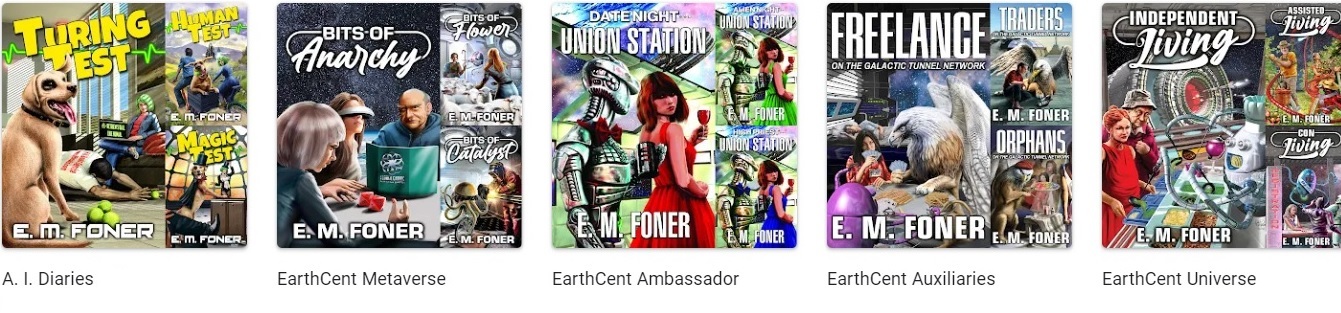
With the rise of online bookstores, it's more important for most POD books (which will never see the inside of a bricks-and-mortar store) to have a cover that shows up well as a thumbnail on a web page than to be a visual knock-out from across the room. For non-fiction books, the title should be easy to read, and any cover illustration should have something to do with the book topic. I don't know what makes fiction sell, and I'm not going to pretend that I do. If you look at the book covers of successful POD publishers on Amazon, the main thing they have in common is simplicity of design. Many opt for a few colors with crisp titles and subtitles or a single hand-drawn graphic. You'll rarely see photographs or collages on these books. The potential benefit of getting such a cover to come out nicely isn't worth the downside of having it come out poorly. That's the real secret to designing your own books. Don't overreach. Simple and clean beats busy and complicated every time.
Designing a book interior doesn't scare most people as much as designing covers, but if you want positive word-of-mouth, getting the interior right is far more important than the cover. Don't make the book difficult to read in an attempt to make it stand out. There's no shame in looking at the design of books that you like and imitating them. This is what professional book designers have been doing since the beginning of time.
Page layout doesn't require learning expensive new software packages or complicated freeware work-arounds. If you're going to do page layout and book design for a living, by all means invest in Adobe InDesign or QuarkXPress. But for anyone doing their first book, stick with Microsoft Word or the word processor of your choice. We'll talk about creating PDF files a little later on, but the truth is, if you can make your book look right on your laser printer, you can stop right there. Most printers, including print-on-demand printers, can scan or photograph your clean laser printer copy and produce a book that, in the case of POD, will probably be indistinguishable from a book printed from an all-digital PDF conversion. You'll be giving up some resolution that adds "snap" to the text if you use laser printed pages as the photo ready copy for an offset printer, but a cheap laser printer with the quality set to the highest level does a darn good job.
I've produced some very complicated books straight out of Word and was amazed to learn that Word can place graphics on a page to the 1/100th of an inch. The indexing and table of contents generation in Word is superior to most desktop publishing packages, and the headers and footers combined with section breaks allow you to format the whole book in a single file with different chapter headers. The Word to PDF conversion was done with Word's free built in PDF generator (in the Save As menu for Office) and went straight to press, TureType fonts embedded.. Believe it or not, you can easily produce a book cover in PowerPoint or any other program that supports large paper sizes and basic drawing and text functions. This is all stuff you can learn.
For example, to produce a PDF for a 6x9 paperback with an interior layout of - 3/4 inch inside margin, a one inch oustide margin, one inch top and bottom margins centered on an 8.5x11 page in Word, just use the following settings in page setup (Note: Lightning Source no longer requires centering on the page, but it's still a good exercise in working with Word:-) Years later, Amazon KDP was able to print from exactly the same files. If you're curious about that complicated formatting see my poster abstracted from one of the books and picture all of the diamond decision symbols repeated in the margins of the book to indicate which text went to read for that step.
Copyright 2026 by Morris Rosenthal
Amazon Sales Rank | Book Contract Negotiation | Cover Design and Page Layout POD Case Study | Industry Book Sales | SciFi eBook Publishing | Indexing a Book in Word | The Path to Publication | Self Publishing | Foner Books